Guide 6 of 6 · Friends Map · Pro · Beta
Find your crew
Live, on the mountain
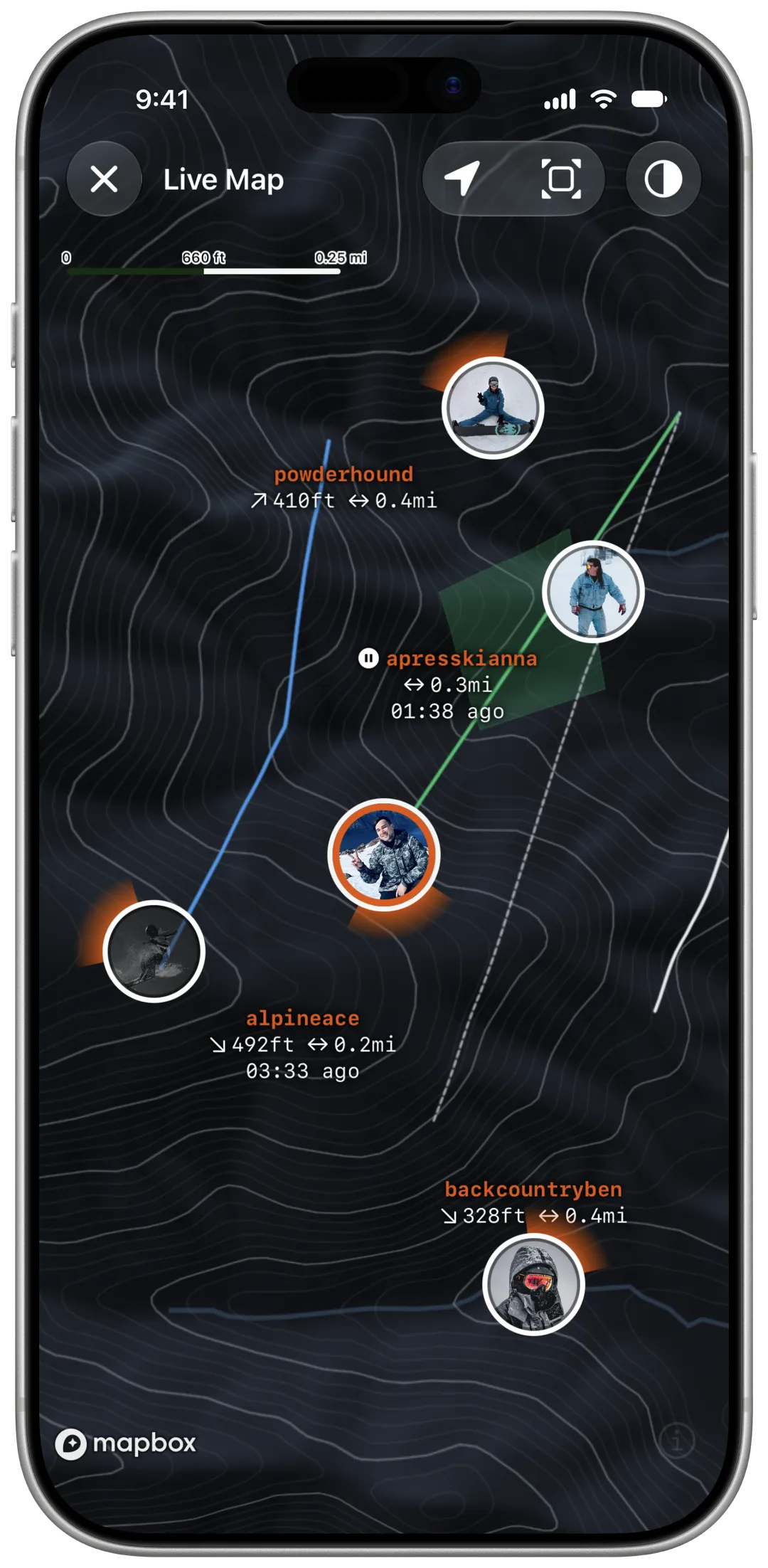
See where everyone on your trip is while you ride. Sharing is free. Seeing the map needs Yewki Pro.


Already have Yewki? Open this page on your phone.
§ 01
Start sharing
Join a trip with your crew
Friends Map works between people on the same trip.
Start recording
Share with trip membersis on by default underLive Locationon the Record screen.Open the map
Tap
Friends Map (Beta)while you record, orTrip → Live Mapduring the trip. Seeing the map needs Pro.
§ 02
Who sees you
Sharing with your trip is on when you record. Here is exactly who sees you, and when.
Only your crew, only while you ride
- Only people on your trip. Not the public, and not friends who aren't on the trip.
- Only while you record. Sharing stops when the session ends, and by 23:30 that day at the latest.
- Only your last position. Yewki keeps no history. Your pin disappears 30 minutes after its last update.
- Stop at any time. Tap
View → Stop Sharing.
§ 03
When it helps
Meet for lunch
See who's closest to the lodge.
Lost someone in the trees?
While you record, each pin shows how far away they are. A pin that stops updating shows when it was last seen.
End of the day
See who's still on the hill before you go down.
§ 04
Frequently asked questions
Do I need Pro?
Sharing your location is free. Seeing the map needs Yewki Pro.
Why can't I see Friends Map?
It's in beta, and it's coming to riders in stages. It also shows only while you record.
Can people who aren't on my trip see me?
No. Only members of the same trip.
Does it drain my battery?
It uses the location Yewki already records. It updates every 10 seconds downhill, and less often on lifts.