Guide 2 of 6 · Trips
Race your crew
One trip, one leaderboard
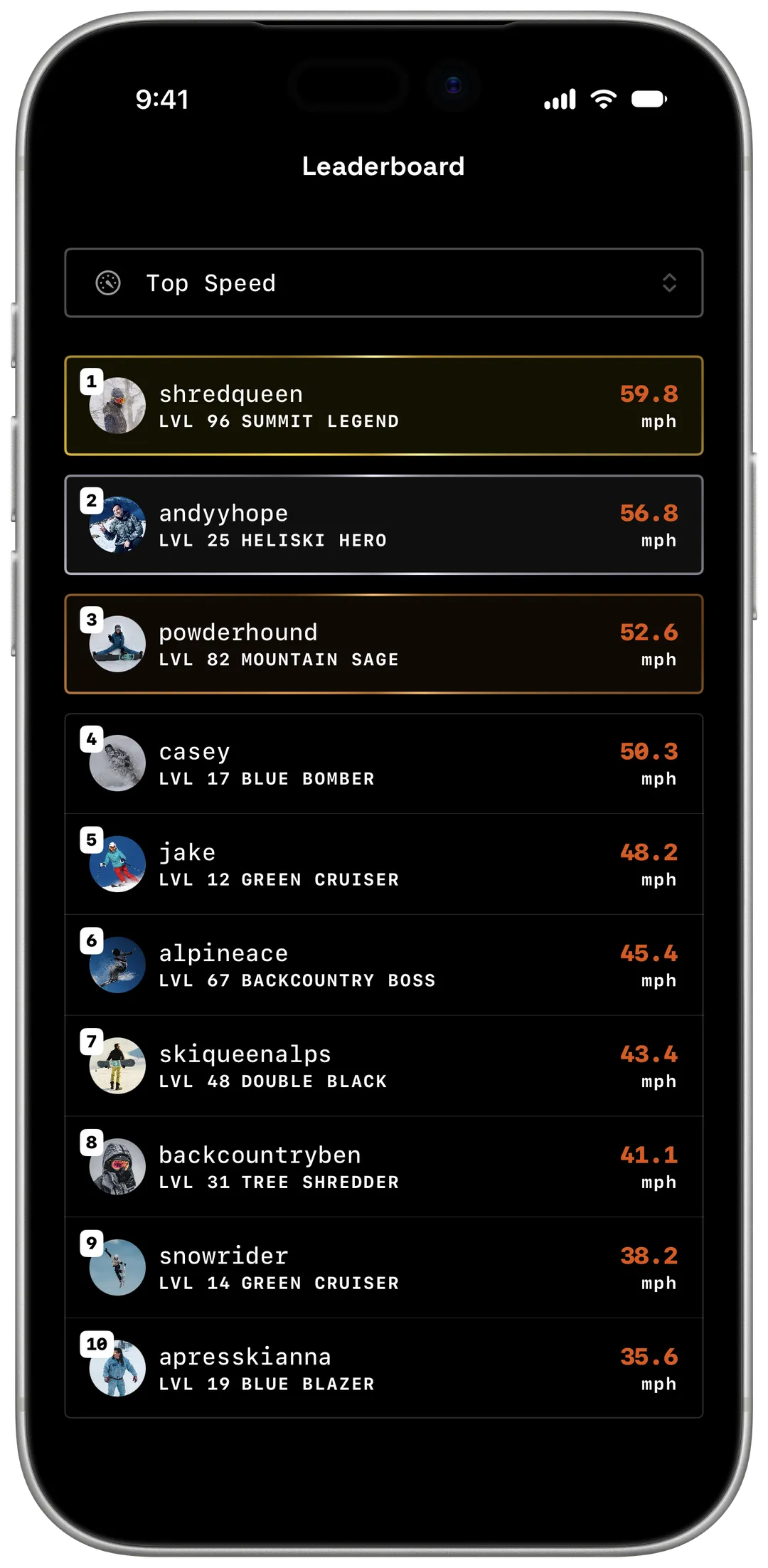
Make a trip, bring your friends, and Yewki ranks everyone's days on the mountain.


Already have Yewki? Open this page on your phone.
§ 01
Set up your trip
Create the trip
Go to
Trips → Create. Pick the resorts and the dates. One trip can cover more than one resort.Invite your crew
Open the trip and tap
Share Invite Link. Send the link or show the QR code. Only the person who made the trip can share it.Ride and record
Every day you record at the trip's resorts, inside its dates, goes into the trip by itself.
§ 02
What you can rank
Tap See All on the trip's leaderboard to rank the crew by any of these, at any time.
- Vertical
- Distance
- Top speed
- Runs
- Lifts
- Hours
- Sessions
- XP
§ 03
Make it count
Ride together, earn more
Record on the same day as someone on your trip and
 Crew Session+25% XP boost applies by itself.
Agree on the prize before day one
Loser buys the first round. The leaderboard settles it.
Late friends can still join
Anyone with the link can join until the trip's last day. Friends with a trip code tap
Trips → Join.
§ 04
Frequently asked questions
Do my friends need the app?
Yes, to record. The invite link takes them to the App Store or Google Play, and they join the trip after they sign up.
Can anyone with the link join?
Yes. Share it only with your crew. Yewki reminds you of this when you share it.
Is it free?
Yes. Trips and trip leaderboards are free. The free plan keeps all your current and upcoming trips and your last past trip. Older trips need Pro.
What if two trips overlap?
Yewki asks you which trip the day belongs to.